How to download Steam, install it and buy Probably Stolen
A step-by-step walkthrough: download Steam, install it, create or sign in to an account, find Probably Stolen, try the free demo, wishlist the game, buy it after launch, and install it. Screenshots captured from the official Steam pages on 27 October 2026.
Launch price
US $17.99$19.99
On this page
- Before you start
- Step 1: Download the Steam client
- Step 2: Install Steam and sign in
- Step 3: Find the Probably Stolen store page
- Step 4: Try the free demo or wishlist the game
- 4A: Install the free demo
- 4B: Add the full game to your wishlist
- Step 5: Buy the full game after it unlocks
- Step 6: Install and launch the game
- Pre-purchase checklist
- Official links
Before you start
- A Windows PC (the game is Windows / Steam only)
- A working internet connection
- A Steam account (step 2 covers creating one)
- A payment method supported by Steam in your region (WeChat Pay, Alipay, bank card or Steam Wallet, depending on the checkout page)
Probably Stolen is a single-player game with Simplified Chinese support. If you want to check how it runs on your machine first, start with the free demo.
Step 1: Download the Steam client
Open the official Steam download page: store.steampowered.com/about
Click the blue Install Steam button to download SteamSetup.exe.
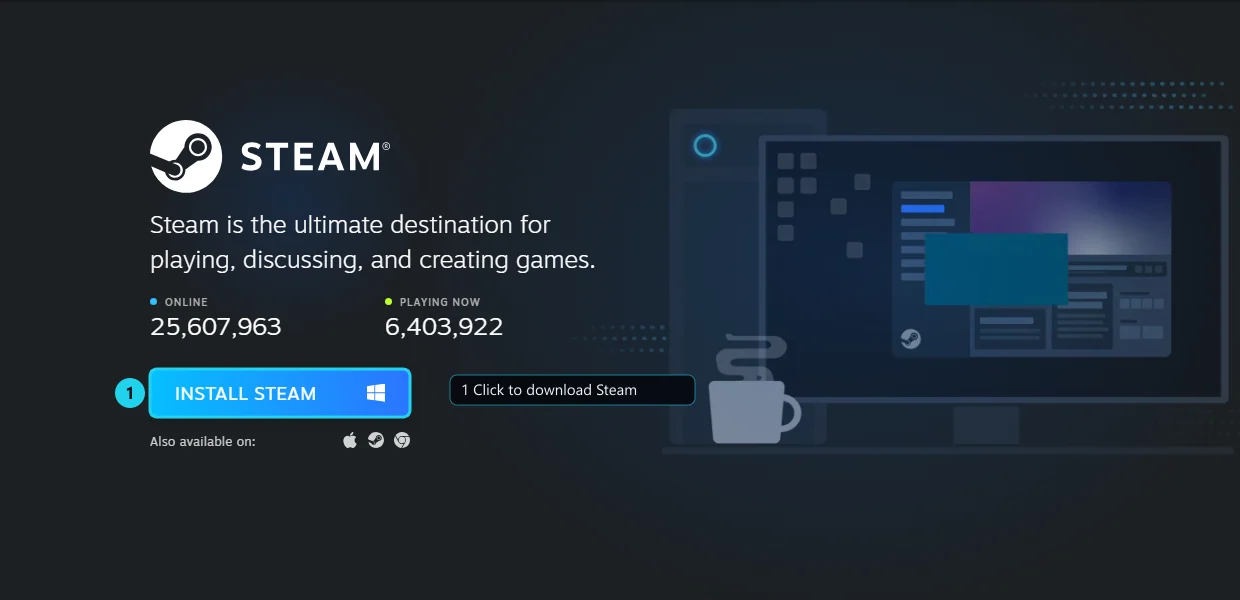
Download from the official site only
The official Steam download page is store.steampowered.com/about.OfficialThird-party “Steam download” sites may bundle unwanted software.
If the homepage is slow, you can also open the Steam store; the top-right corner has an Install Steam link.
Step 2: Install Steam and sign in
Run SteamSetup.exe and follow the installer:
- Choose the installer language.
- Click Next and choose an install folder. The default is on the C: drive; pick another drive if space is tight.
- Click Install and wait for the progress bar to finish.
- Leave the “launch Steam” option checked; the client will update itself to the latest version.
The installer screens change between Steam versions, but the flow stays the same. If Windows shows a security prompt, confirm the installer came from store.steampowered.com before continuing.
Steam opens on the sign-in screen:
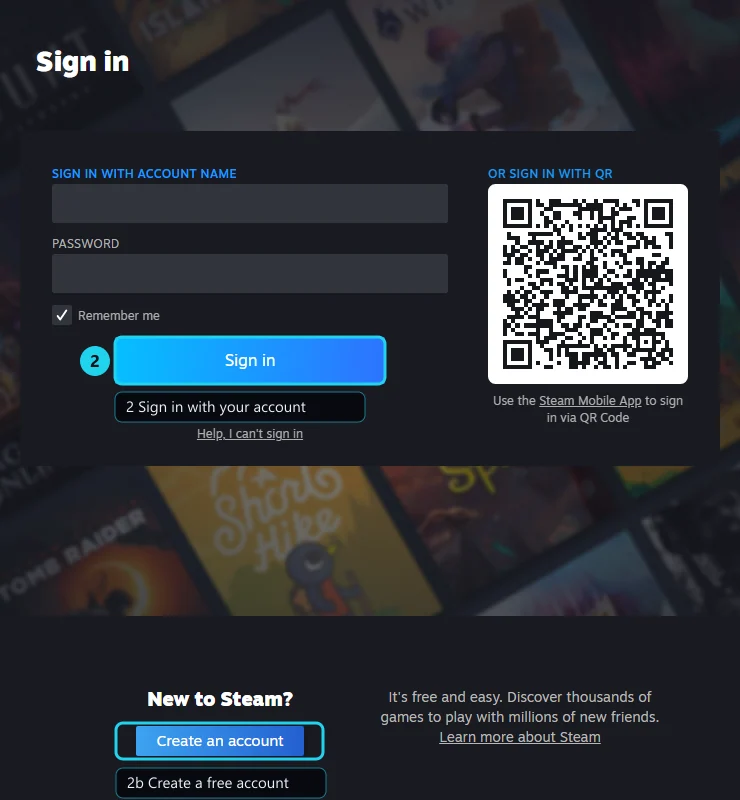
- Existing account: enter your account name and password, then click Sign in. You can also use the QR code with the Steam mobile app.
- New account: click Create an account, enter an email address, verify it, and set a password. Registration is free.
- Enable Steam Guard (email or mobile authenticator) to protect the account.
After signing in you land in the Steam store, library and community.
Step 3: Find the Probably Stolen store page
Use the store search box at the top of the Steam client and search for Probably Stolen or 深空当铺.
The English store returns several results:
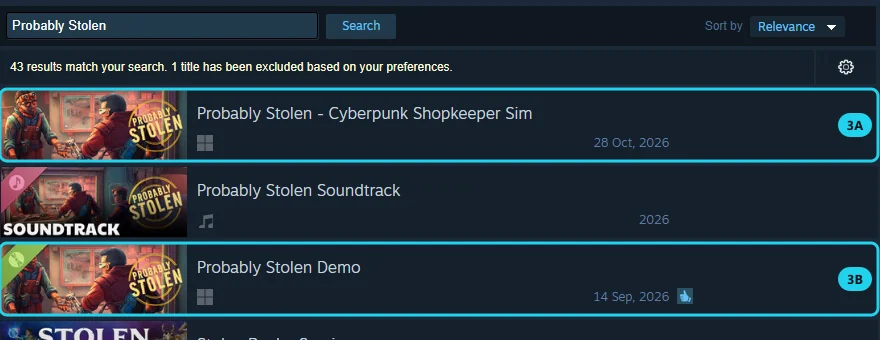
- 3A: Probably Stolen - Cyberpunk Shopkeeper Sim — the full game
- 3B: Probably Stolen Demo — the free demo
You may also see Probably Stolen Soundtrack between them. That is the soundtrack, not the game — do not buy it by mistake.
You can also open the store pages directly:
- Full game: store.steampowered.com/app/4348910
- Demo: store.steampowered.com/app/4349200
Check the store page details before buying: developer Questing Goose Studio, publisher tinyBuild, release date 28 October 2026, Simplified Chinese support.
Step 4: Try the free demo or wishlist the game
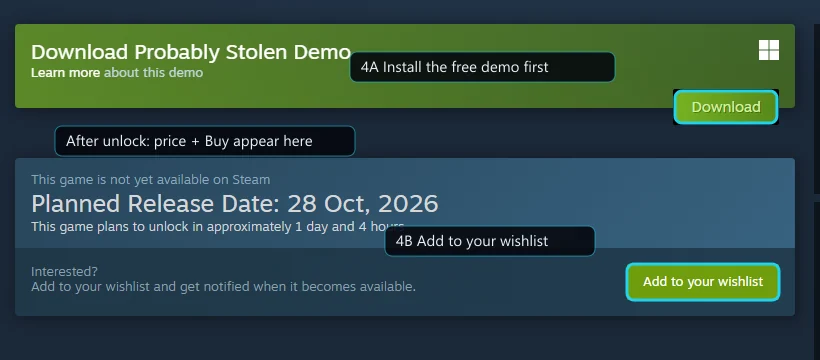
As of 27 October 2026 the full game is not yet available for purchase. The store page shows “This game is not yet available on Steam” and “Planned Release Date: 28 Oct, 2026”.
4A: Install the free demo
Click Download in the green demo box (or Install Demo on the demo page). The demo downloads like a normal game and appears in your library. It is free; you do not need to buy the full game first.
The demo is rated Overwhelmingly Positive at 98% from 1,807 reviews on Steam (as of 27 October 2026).Official If your PC is close to the minimum specs, use the demo to check frame rate and load times.
Demo saves
4B: Add the full game to your wishlist
Click Add to your wishlist. Steam will notify you when the game unlocks, so you do not miss the 10% launch discount.
A wishlist is not a purchase
Adding the game to your wishlist does not charge you or buy it automatically. You still need to complete checkout after the full game unlocks.
Step 5: Buy the full game after it unlocks
After the game unlocks on 28 October 2026 at 21:00 Beijing time, the same area changes from “Add to your wishlist” to the price and a buy button.
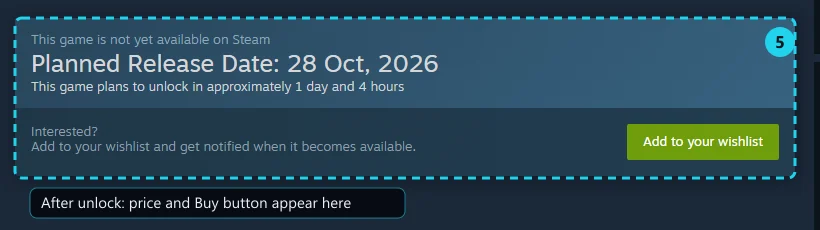
If the unlock time has passed and the page still shows the wishlist button, refresh the page. If the client still does not update, sign out of Steam and sign back in.
To buy:
- On the store page, click Add to Cart or Buy.
- Choose Purchase for myself.
- On the checkout page, confirm the item, price and store region.
- Choose a payment method (WeChat Pay, Alipay, bank card or Steam Wallet, depending on your region).
- Complete the payment, then return to Steam.
Price: ¥55 in China and $19.99 in the US, with a 10% launch discount.Official That is about ¥49.5 / $17.99 at 10% off; the checkout page is authoritative. Regional pricing depends on your account's store region.
After payment:
- The store button changes to “In Library”.
- The game appears in your Steam library.
- The game itself has not downloaded yet — continue to step 6.
Refunds
Steam accepts refund requests under its policy. The usual conditions are within 14 days of purchase and under 2 hours of playtime; Steam support makes the final decision. See the Steam refunds page.
Step 6: Install and launch the game
In your Steam library:
- Select Probably Stolen.
- Click Install.
- Choose a drive. The official minimum is 1 GB of available space; the actual download size is shown in the client.
- Wait for the download and installation to finish.
- Click Play.
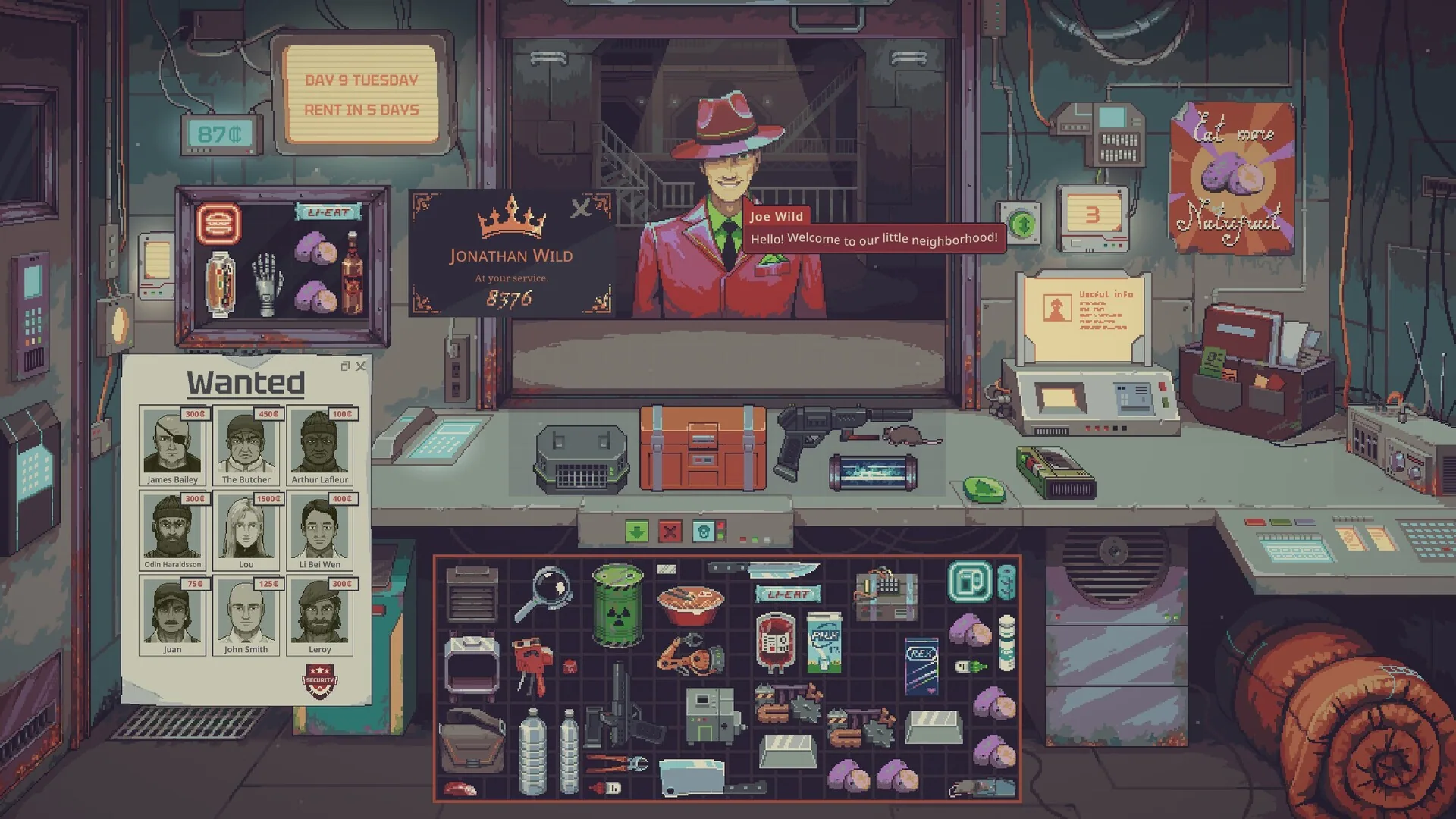
If you only installed the demo, your library shows Probably Stolen Demo instead. Launch it the same way. The demo and the full game are separate entries.
Official minimum requirements:
| Item | Minimum |
|---|---|
| OS | Windows 10, 64-bit |
| Processor | Intel Core i3 or equivalent |
| Memory | 8 GB RAM |
| Graphics | GTX 650ti or higher |
| DirectX | 10 |
| Storage | 1 GB available space |
Pre-purchase checklist
- Unlock time: 28 October 2026, 21:00 Beijing time
- Price: ¥55 / $19.99, 10% launch discount
- Language: Simplified Chinese supported
- Multiplayer: none — single-player
- Demo: free, saves compatible, a fresh save is recommended
- Specs: Windows 10 64-bit / i3 / 8 GB / GTX 650ti / 1 GB
For the full release details, read release date, price and the 1.0 update. Once it is installed, continue with the beginner's guide.
Official links
- Steam download: store.steampowered.com/about
- Full game store page: store.steampowered.com/app/4348910
- Free demo: store.steampowered.com/app/4349200
- Steam refunds: store.steampowered.com/steam_refunds
About the screenshots
The screenshots were captured from the official Steam pages on 27 October 2026, using the English interface. Steam updates its client and store layout from time to time; if a button has moved, follow the labels in your own client.
FAQ
Where do I download Steam?
The official download page is store.steampowered.com/about. Click "Install Steam". Do not use third-party download sites.
Do I need a Steam account to buy the game?
Yes. Buying and downloading both require a Steam account. Creating one is free.
Can I buy it before launch?
As of 27 October 2026 the store page shows "Add to your wishlist" and has not opened purchases yet. After the game unlocks on 28 October 2026 at 21:00 Beijing time, the same area shows the price and a buy button. The live store page is the final word.
How do I install the game after buying it?
Open your Steam library, select Probably Stolen, click Install, choose a drive, and wait for the download to finish.
How do I get the demo?
Open the store page or the demo page and click "Install Demo" or "Download". The demo is free; you do not need to buy the full game first.
What are the price and system requirements?
¥55 in China and $19.99 in the US, with a 10% launch discount. Minimum specs: Windows 10 64-bit, Intel Core i3 or equivalent, 8 GB RAM, GTX 650ti or higher, DirectX 10, and 1 GB of available storage.
Can I get a refund?
Yes, under Steam's refund policy. The usual conditions are within 14 days of purchase and under 2 hours of playtime; Steam support makes the final decision. See the official refund page.
Launch price
US $17.99$19.99
Related guides
Beginner's guide: seven things to know before you open shop
The daily loop, rent, inspection and appraisal, customer types, Aug tells and faction reputation — the core mechanics Probably Stolen has published so far, explained without guesswork.
Probably Stolen: Release Date, Price and the 1.0 Update
Probably Stolen launches on Steam on 28 October 2026 at 21:00 Beijing time. Here is the release schedule, pricing in China and the US, the 10% launch discount, everything in version 1.0, the free demo, save compatibility and the minimum requirements.
How to spot an Aug: the three official visual tells
An Aug is a host controlled by a runaway AI implant. The developer publishes three visual tells: a visible aug chip, unusual pupils and an uncanny expression. Here is how to check, and what you can do once you spot one.