Abyssal Lapidary Gem Cutting Guide: Hammers, Chisels and Fretsaws
Why rough stone shatters, which tool suits which mineral, what to do when a stone splits in half, when to stop striking, and the low-toughness limitation in the current demo.
Tools are not interchangeable
The bench holds hammers, chisels, fretsaws, hand drills, brushes and shovels. They fall into four rough groups:
| Type | Examples | What it does | Risk |
|---|---|---|---|
| Impact | Hammer, chisel | Removes large chunks of host rock quickly | Vibration travels into the gem and can chip it |
| Cutting | Fretsaw (often called a hacksaw by players) | Fine entry with less whole-stone impact | Slow, and a bad angle can cut the gem |
| Drilling | Hand drill | Breaks ore structures; suits high hardness and low toughness | Needs range and durability control |
| Cleaning | Brush, shovel, oil can | Clears debris and maintains tools | Does not cut rock, but do not ignore tool condition |
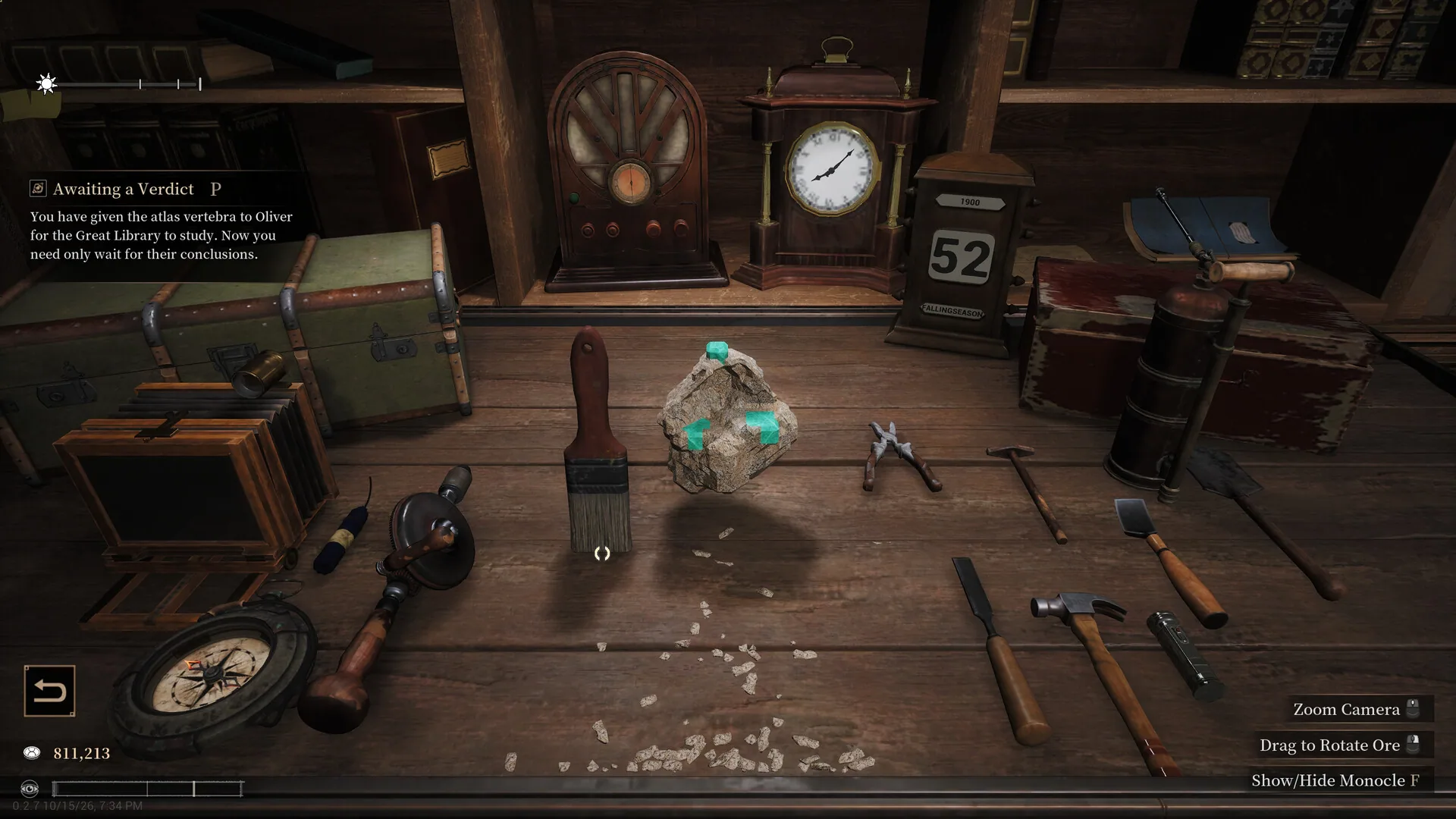
The hand drill description is the clearest guidance in the game:
Used to break ore structures, effective against minerals with higher hardness and lower toughness.
Its stats are 200% break efficiency, hardness rating 7, toughness rating 1, 4 cm area of effect, 200 max durability and 150 handling speedOfficial. It is a specialised tool, not a universal upgrade.
v0.2.15 added tool suitability and efficiency hintsPlayer-tested. Read the hint before switching tools; it beats memorising a fixed recipe.
Hammer or fretsaw?
There is no single recipe that works for every mineral. Use this order:
- Check host-rock hardness. If the shell is hard, hammering is slow and sends more vibration; prefer a drill or saw.
- Check gem toughness. Low toughness means brittle; reduce impact and switch to a fretsaw or hand drill.
- Check gem size. A small gem near the edge needs many small passes, not one big strike.
- Check existing cracks. Work with the fracture, not straight through it.
| Situation | Suggested tool | Why |
|---|---|---|
| Hard host rock, low-toughness gem | Hand drill | The in-game description matches this profile |
| Small gem close to the edge | Fretsaw and fine tools | Less whole-stone impact and a controlled cut line |
| Loose host rock, stable gem | Hammer and chisel | Fastest impact removal |
| Stone already split in half | Move the other half away | Stops impact crossing the crack |
| Chipped edge or unusual crack | Stop and switch tools | More strikes only enlarge the damage |
Breakage Rate is not decoration
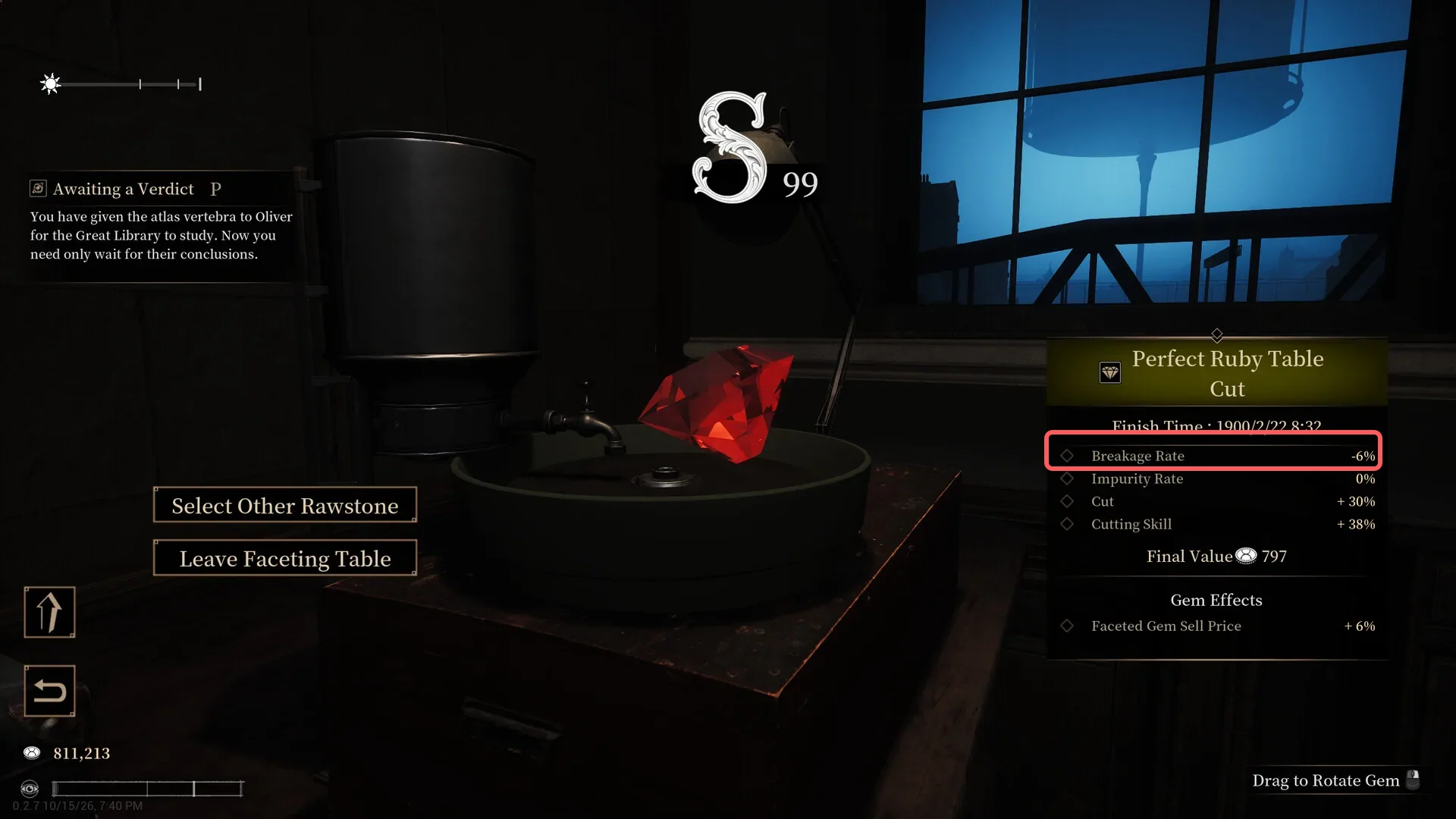
Both appraisal and faceting show a Breakage Rate. Some cuts can push it negative (for example, -6%), which is why protecting the gem comes before chasing a fancy cut.
When a stone splits, move the other half
Editor's note
The first broken gem in most demo feedback is not a cutting-knowledge problem. It is leaving both halves on the bench after a split. Moving the unused half away feels counterintuitive, but it saves a lot of stone.
Community experience: when a stone splits in half, put the half you are not working on back into storage and keep only the target half on the benchPlayer-tested.
The explanation is physical rather than mystical: with both halves on the table, the impact from a hammer can travel through the bench and the crack into the other half. You can strike only the left piece and still shatter the gem on the right.
This is player-tested advice, not a line from the official manual. Check the in-game hints after updates, but in the current demo it is the cheapest insurance you can buy.
Re-check after every strike
Extraction is not a hold-the-button contest. A safer rhythm:
- Strike once, then rotate the view and inspect the crack.
- Look for crumbs, white stress marks or a new fracture line at the gem edge.
- If anything changed, stop and switch to a fretsaw or hand drill.
- Continue only after confirming the stone is stable.
The stop rule
If three strikes in the same spot still chip the stone, the tool or angle is wrong. More force does not create a miracle; it turns a damaged gem into powder.
Minerals the demo cannot clean
The current demo has no polishing wheel, so some hardness-1, toughness-1 minerals cannot be cleaned without damagePlayer-tested. Community guides treat this as a build limitation, not player error.
When you meet one:
- Do not restart endlessly chasing a zero-damage run.
- Check whether the commission accepts a damaged gem; if not, use different rough stone.
- Watch later patches for a polishing wheel or a change to low-toughness mineral handling.
Do not copy old tool numbers
The 23 October 2026 v0.2.15 update added tool suitability and efficiency hintsPlayer-tested. That means:
- Older claims that one tool handles every mineral may no longer hold.
- The hardness and toughness ratings in the tool description are more trustworthy than a player-made recipe.
- After a major update, read the patch notes and the in-game hint again.
The general principles here — check the stats, work in small passes, stop at the first chip — survive version changes. The exact numbers do not.
Fancy cuts and practical tips
The faceting table is where a fancy cut earns or loses its value. It shows Cut, Cutting Skill, Breakage Rate, Impurity Rate and Final Value together, so read the risk before chasing a shape.
Some cuts can push Breakage Rate negative (for example, -6%)Player-tested, but that only helps a gem that survived extraction; a stone shattered on the bench cannot be saved at the faceting table. A run of perfect strikes can put the character into a flow state and produce a work beyond perfectOfficial, and flow is not guaranteed.
We do not publish a named fancy-cut recipe list without verified values for the current demo. The in-game faceting table and the v0.2.15 tool hints are the reliable source; older player recipes may not carry over.
Five tips that matter more than any recipe:
- Buy two or three stones, not ten, until appraisal is reliable.
- Inspect hardness, toughness and fractures with the monocle before paying.
- Match the tool to the mineral; do not hammer a hardness-8, toughness-1 stone.
- Move the unused half off the bench when a stone splits.
- Stop at the first chip or new fracture instead of striking the same spot again.
Read next
- Sell the result for more: Commissions, auctions and licences
- Understand the strange stones: Awareness and occult ore
- Just started? Beginner guide
Frequently Asked Questions
Why does my rough stone shatter immediately?
The usual causes are a mismatched tool, repeated strikes in one spot, or a gem with very low toughness. Check hardness and toughness in the monocle first, then follow the tool description.
What is the hand drill good for?
The in-game description says it is effective against minerals with higher hardness and lower toughness. It has 200% break efficiency and is built for hard, brittle host rock.
Why does striking one half of a split stone break the gem in the other half?
The community explanation is that impact travels across the crack while both halves sit on the bench. Move the half you are not working on back into storage and keep only the target half on the table.
Why do some minerals always take damage?
The current demo lacks a polishing wheel, so some hardness-1, toughness-1 minerals cannot be cleaned without damage. That is a build limitation rather than a technique error.
Are older tool recipes still valid?
Not necessarily. v0.2.15 (23 October 2026) added tool suitability and efficiency hints, so advice from older playtest builds may be outdated.
Related guides
Abyssal Lapidary Licence & Faceting: Silver, Gold, Cut Shape vs Style
How Abyssal Lapidary licences work in the demo: Silver unlocks the faceting table, what Gold still does not say, and why cut shape is not the same as cut style when a commission asks for square.
Abyssal Lapidary Ore List: Hardness, Toughness & Stones You Cannot Clean
Abyssal Lapidary ore list from the demo: hardness and toughness where they are known, which 1/1 stones cannot be cleaned.
Abyssal Lapidary Beginner Guide: Daily Loop, Appraisal and Safe Extraction
A starter guide to the demo: how the day works, how many stones to buy, what the monocle tells you, how to strip host rock without shattering the gem, and when to facet or take a commission.
All guides for this game
- Abyssal Lapidary Licence & Faceting: Silver, Gold, Cut Shape vs Style
- Abyssal Lapidary Ore List: Hardness, Toughness & Stones You Cannot Clean
- Abyssal Lapidary Awareness & Occult Ore: What the Sanity-Like Stat Does
- Abyssal Lapidary Beginner Guide: Daily Loop, Appraisal and Safe Extraction
- Abyssal Lapidary Money Guide: Commissions, Auctions, Display and Licences
- Abyssal Lapidary Release Date, Demo & Price: What Is Confirmed